
Let’s learn how to use the motion extractor program to extract motion files from the robot for collision risk analysis.
- Step 1. Click Motion extractor download in the guide menu (question mark icon) at the bottom right of the SafetyDesigner screen to download and decompress the motion extraction program.
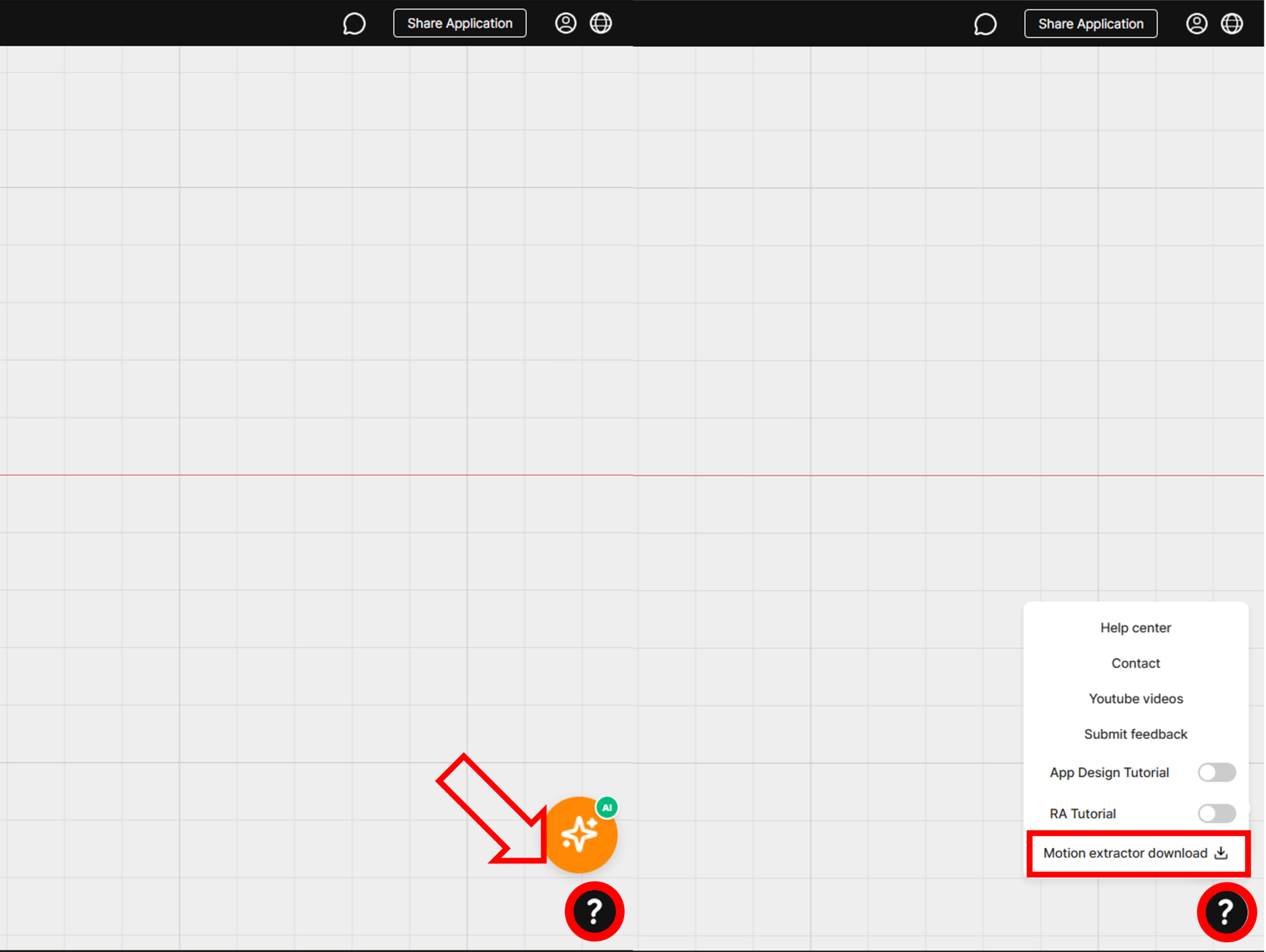
Guide menu – Download motion extractor program
- Step 2. Double-click Safetics_ME file in the decompressed folder to run the motion extractor program.
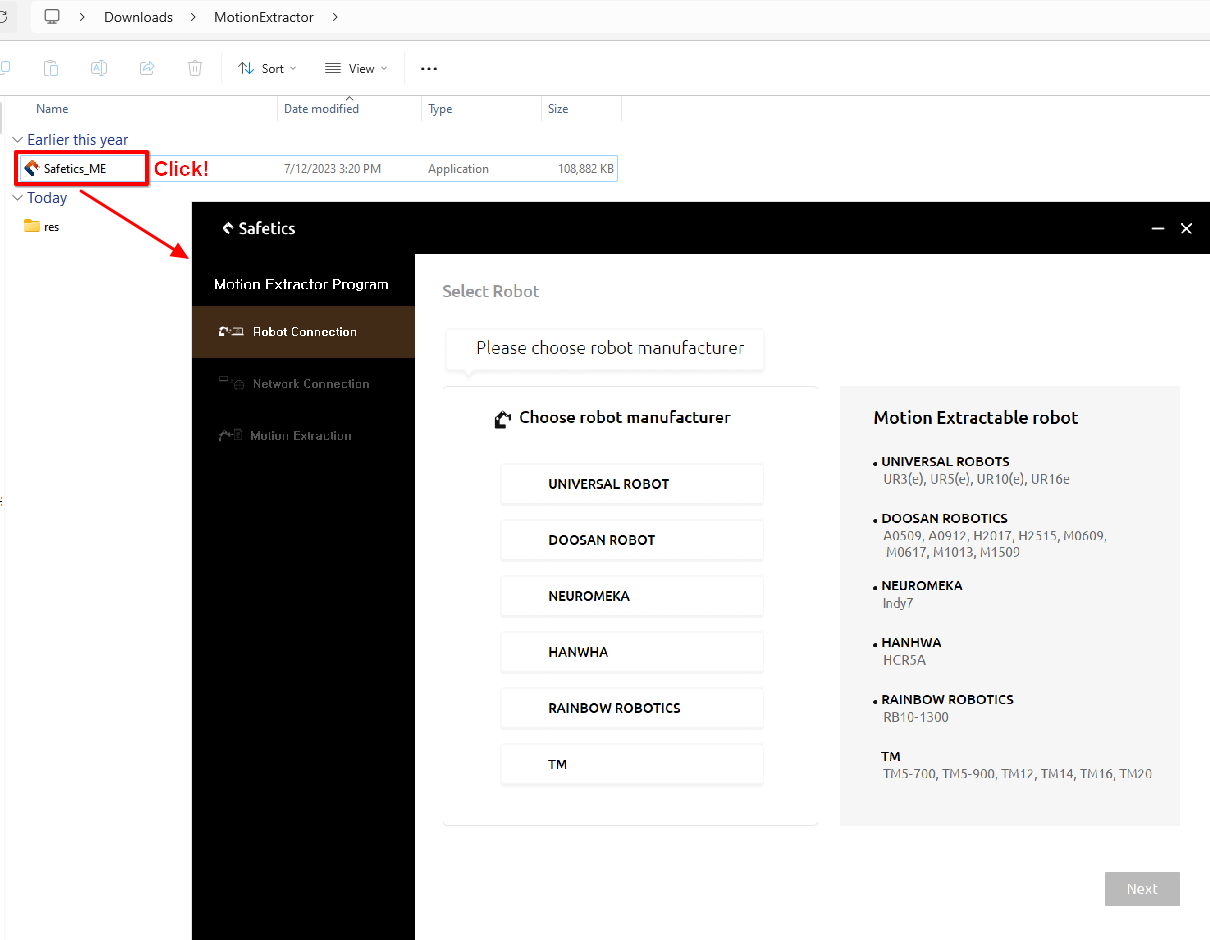
Launch motion extractor program