
Skip to content
Help Center

Help Center

Safetics
⌘K
Home Open SafetyDesigner
🇺🇸 English
English 한국어

Motion Extraction

  • Download and Launch
  • Select Robot
  • Network Connection Settings
  • Extracting and Verifying Motion
← Back

Select Robot

  • Step 1. Select the manufacturer of the robot that you want to extract motion from.
  • Step 2. Once you have selected the manufacturer, click Next to go to Network Settings.
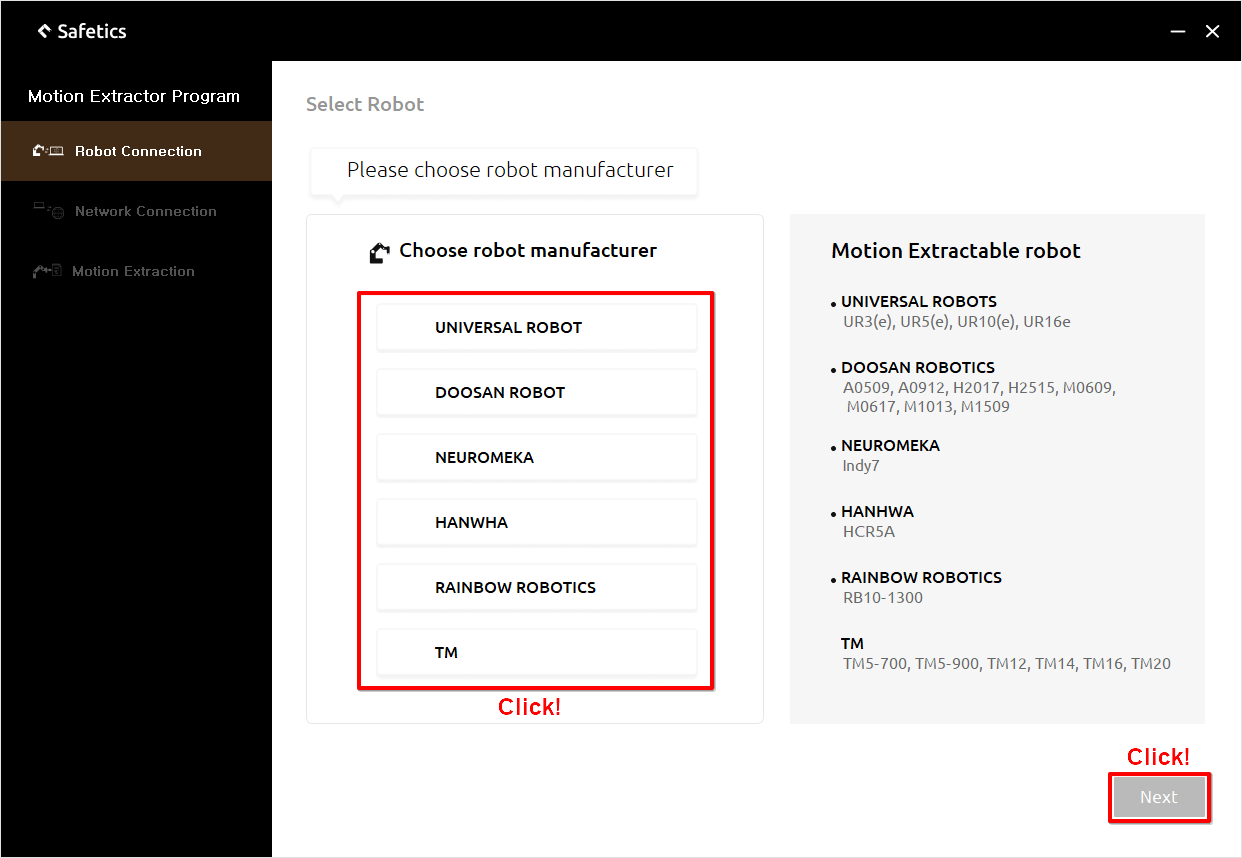
Connect robot – select manufacturer

Connect robot – select manufacturer

Tip

If your robot model or robot manufacturer does not exist on the list, please contact Safetics.

← PreviousDownload and LaunchNext →Network Connection Settings
Safetics Safetics

Robot safety made simple

Product

SafetyDesigner Pricing

Guides

SafetyDesigner Guide TBM Guide

Resources

Insights FAQ Glossary

Company

Safetics Home Contact Us

Safetics Inc. · CEO : Heonseop Shin · Business Reg. No. 693-87-01568 · 2F, 43, Bongeunsa-ro 30-gil, Gangnam-gu, Seoul, Republic of Korea · Tel : 82-2-568-7985 · info@safetics.io

© 2026 Safetics, Inc.

Image you just passed