
1. Sign Up
Create an account to use SafetyDesigner.
 12345678910
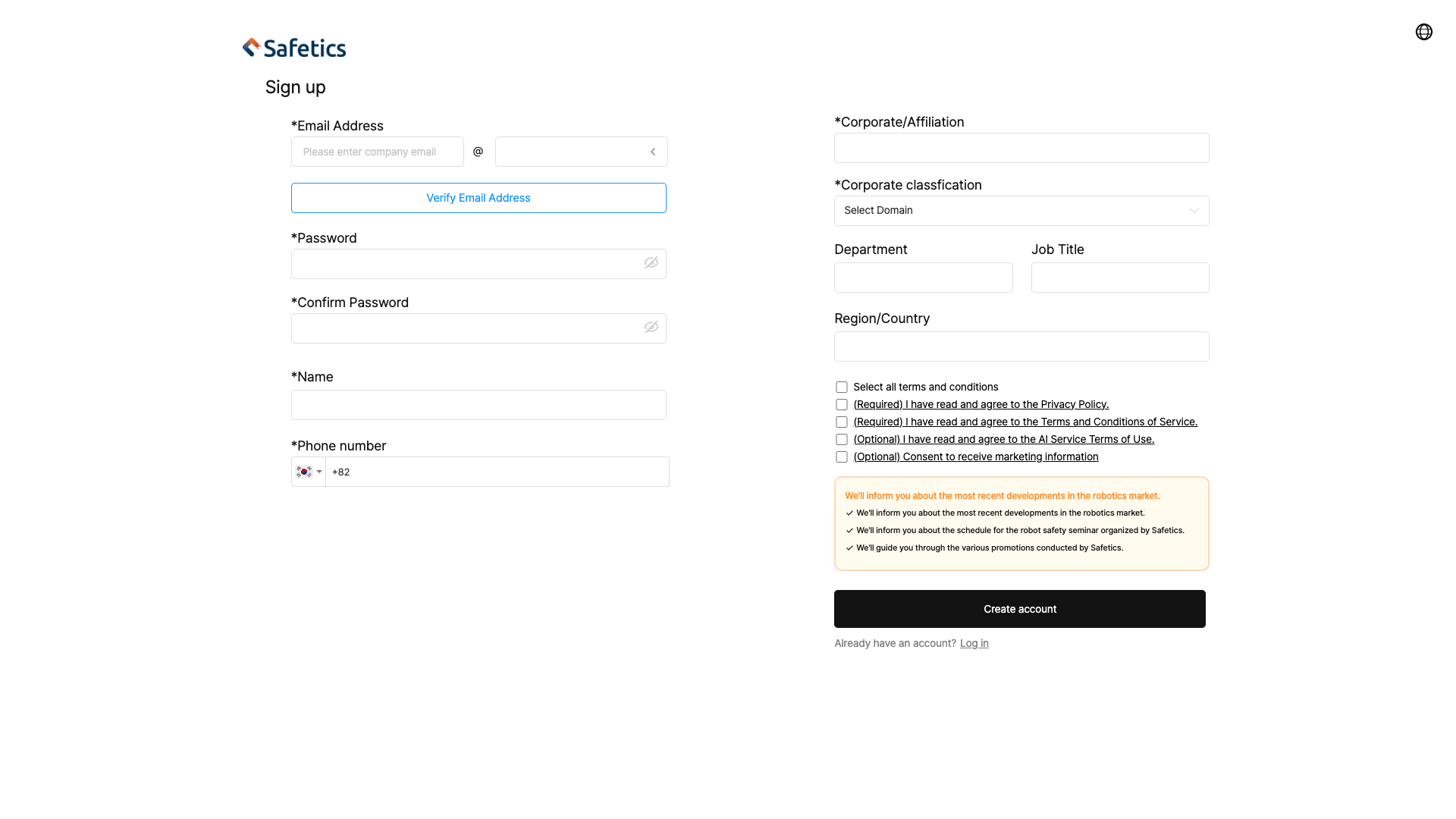
Sign up
① Enter your email address (local@domain) and click Verify email to complete verification.
② Set a password and confirm it.
③ Enter your name.
④ Enter your phone number. (Country code selectable, default +82)
Warning
A phone number already linked to another account cannot be reused.
⑤ Enter your company name.
⑥ Select your company category.
⑦ Enter your department and job title. (Optional)
⑧ Enter your work location. (Optional)
⑨ Review and agree to the terms.
- (Required) Privacy Policy / Service Terms of Use
- (Optional) AI Service Terms / Marketing Communications
Warning
You must accept the (Required) terms to create an account.
2. Login
Login to SafetyDesigner.
 123
123
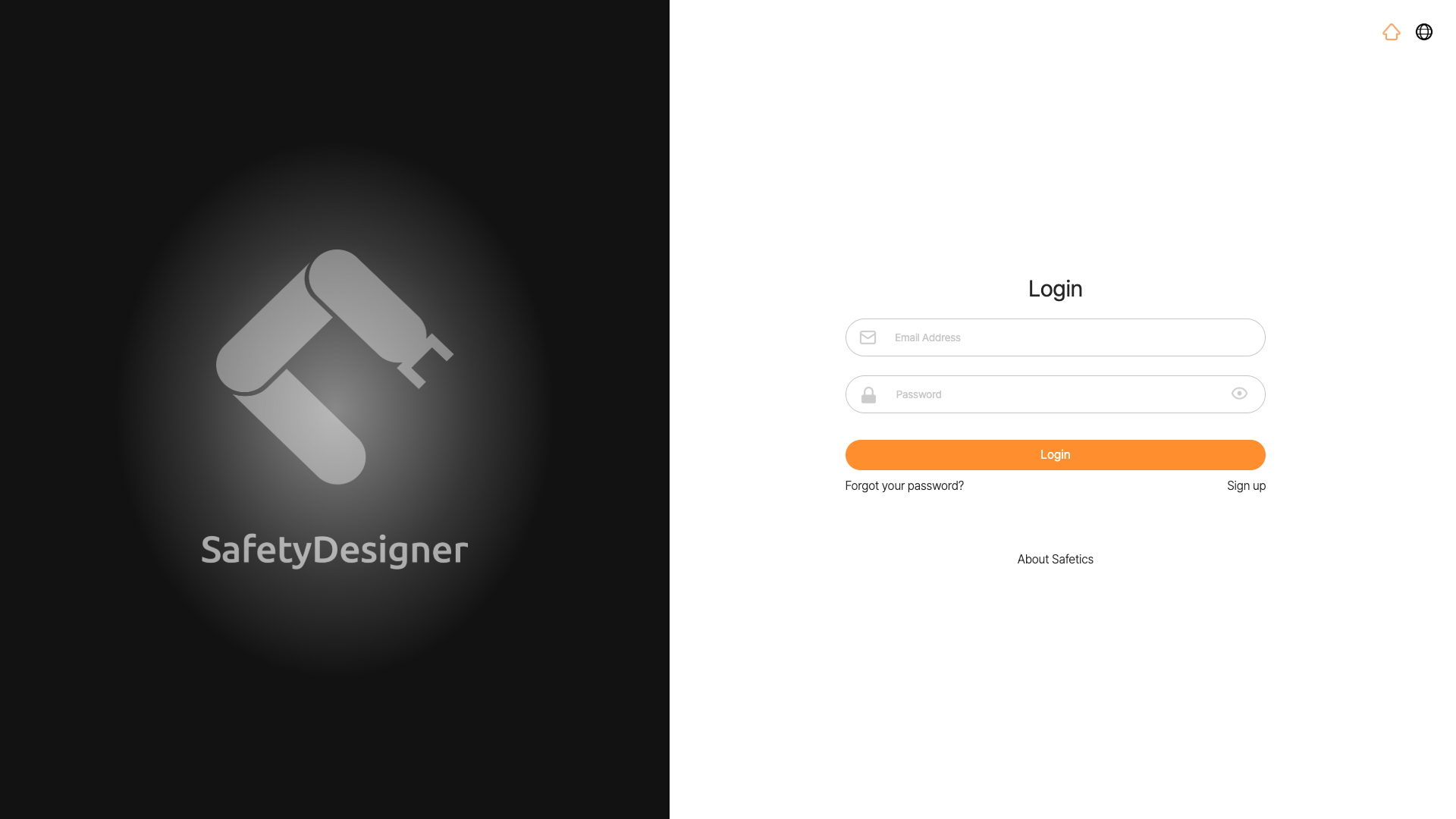
Login screen
① Type in your registered email address.
② Type in your password.
③ Click the Login button.