
1. Edit Account Information
Mouse over the  button at the top right corner and click the Information button to take you to the membership page.
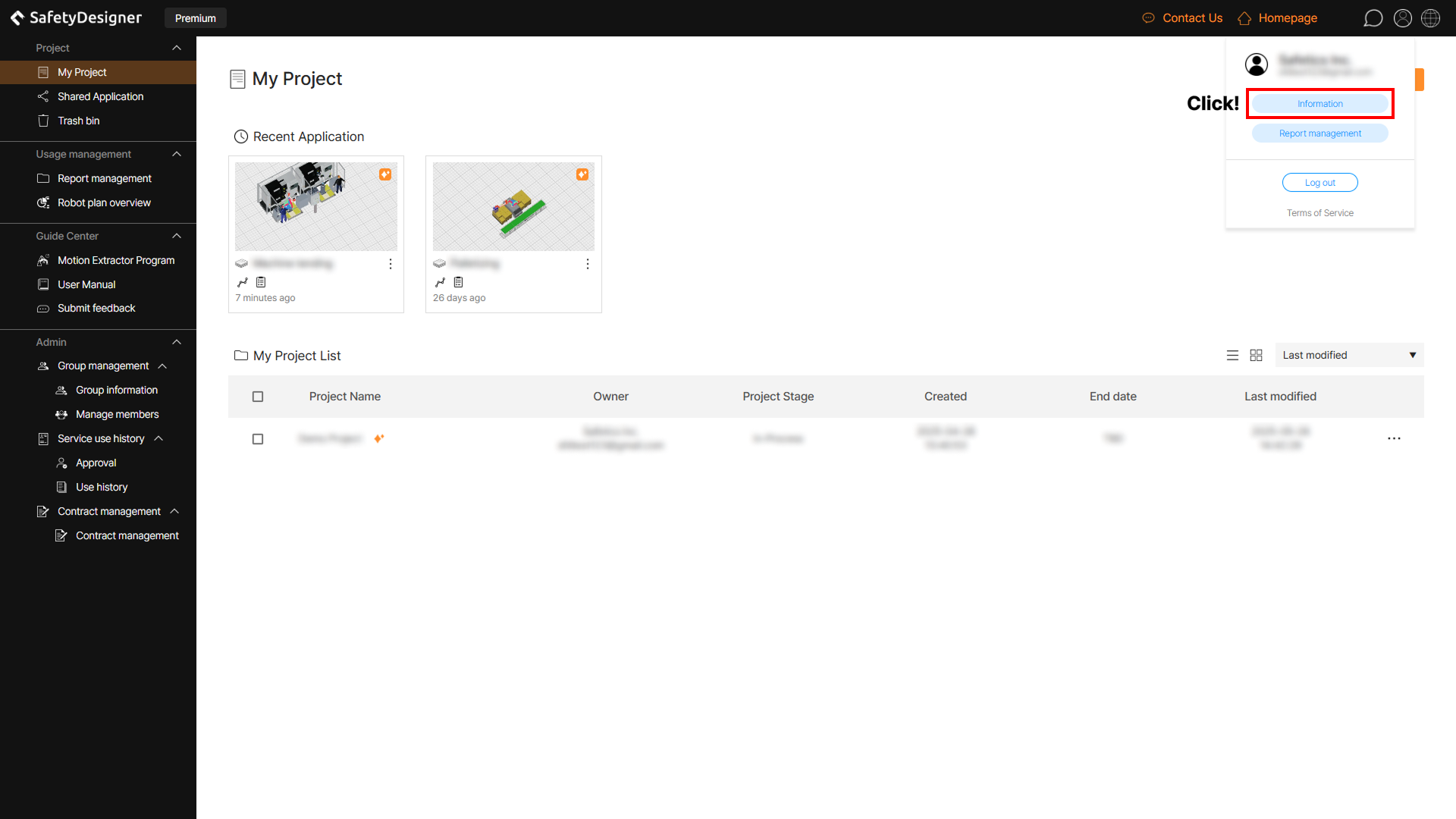
Edit account information
To edit your account information, click the Edit button at the bottom right, and then click the Save button when you’re done editing.
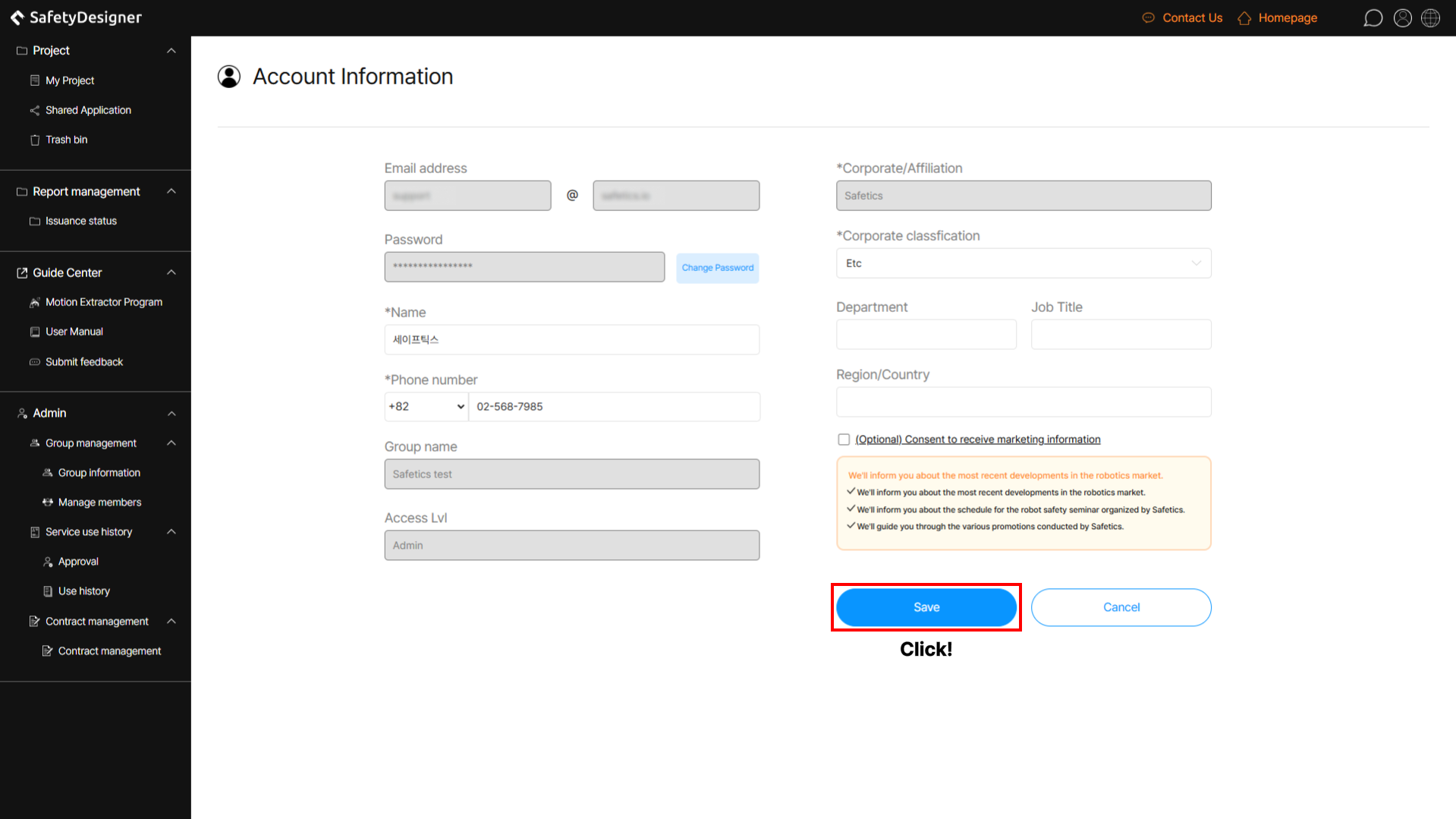
Account information page
2. Scope of Information Modification According to Permissions
SafetyDesigner supports a group management function and classifies users into three levels: administrator, manager, and member.
The scope of information modification for each member, including free members not part of the group, is as follows.
| Permission | Modifiable Content |
|---|---|
| Free member | All modifiable except email address |
| Group Member | All modifiable except email address, group name and company/affiliation name |
| Group Manager | All modifiable except email address, group name and company/affiliation name |
| Group Administrator | All modifiable except email address, group name and company/affiliation name |
Tip
For more information of membership, check out FAQ on the Pricing plan.