
Skip to content
Help Center

Help Center

Safetics
⌘K
Home Open SafetyDesigner
🇺🇸 English
English 한국어

Getting Started

  • What is SafetyDesigner?
  • Sign Up and Login
  • Home Screen
  • Edit Account Information
  • Create Project and Application

3D Design & Collision Analysis

  • 3D Screen Elements
  • Create Robots
  • Input Analysis Information
  • Analysis Result
  • Collision Risk Analysis Report Issuance
  • Application Sharing
  • Trash bin

Risk Assessment

  • Risk Assessment Screen Layout
  • Step 1. Risk Assessment Information
  • Step 2. Workspace Configuration
  • Step 3. Identify Hazardous Factors
  • Step 4. Evaluate Risks and Reduction Plans
  • Step 5. Generate Report
← Back

Risk Assessment Screen Layout

1. Risk Assessment Main Screen
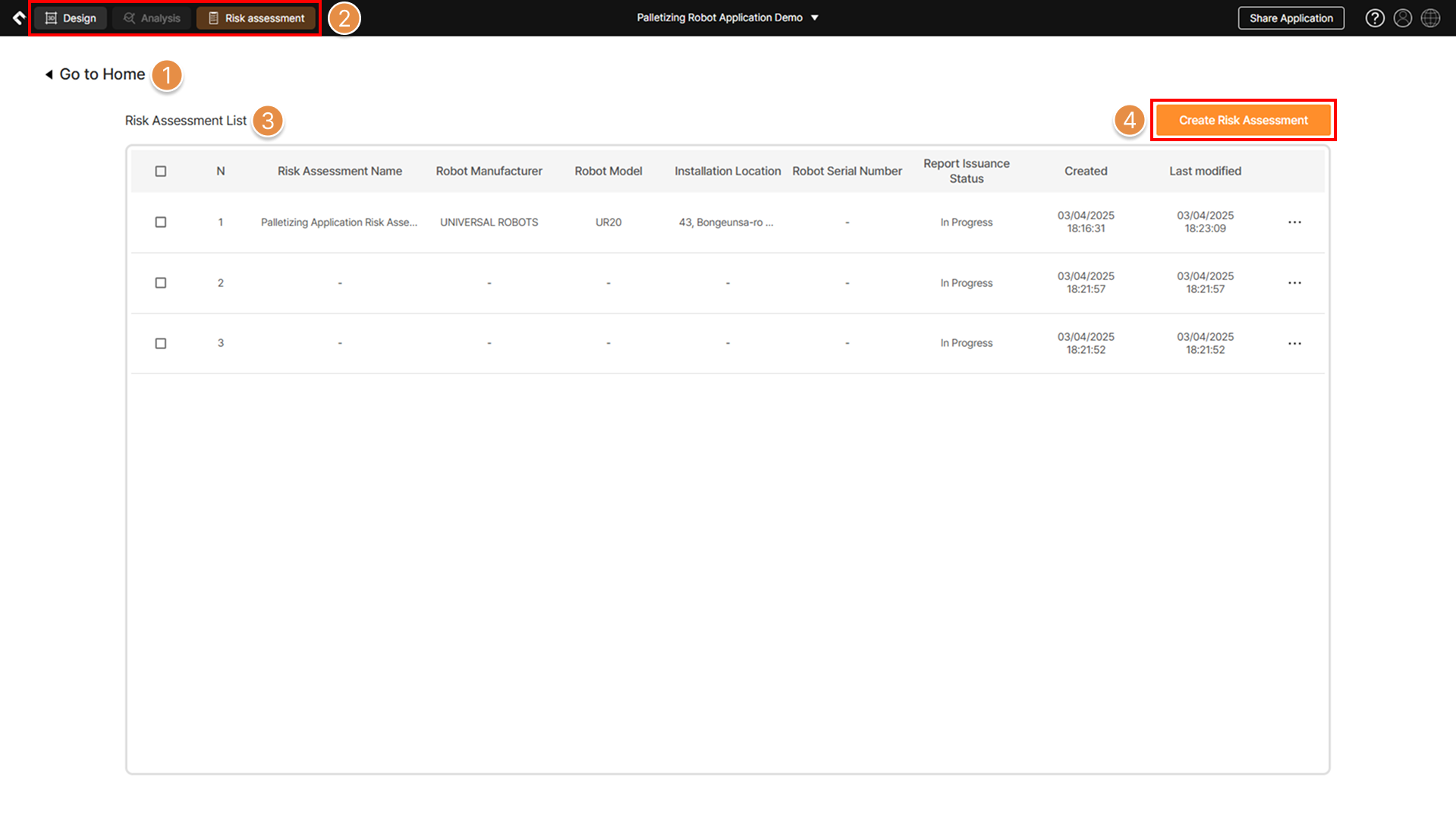
Risk assessment main screen

Risk assessment main screen

① Home

Return to SafetyDesigner Home Screen (Dashboard).

② Top Tab

Navigate to the 3D screen or the collision risk analysis results screen.

③ Risk Assessment List

A list of risk assessments created in the process file is displayed. Double-click to resume the selected risk assessment from its last saved state.

④ Create Risk Assessment

Create a new risk assessment.

2. Information Input Screen

Learn about the layout of the risk assessment progress screen.
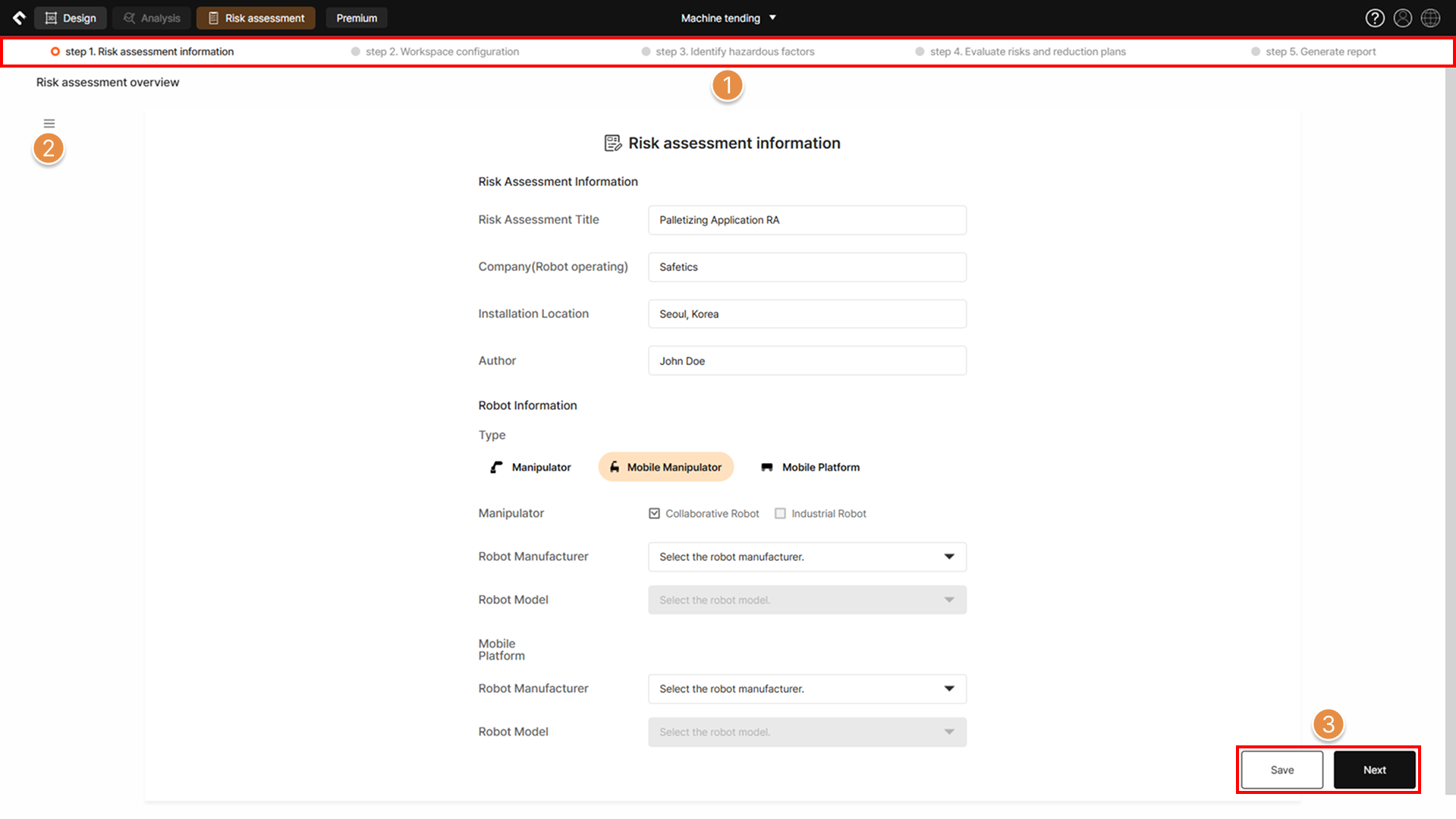
Risk assessment progress screen

Risk assessment progress screen

① Progress Status (Step 1~5)

View the progress status of the risk assessment. Steps with an input history become clickable; clicking the button navigates to the corresponding step.

Completed steps have their left-side checkbox turned orange.

② Navigation Menu
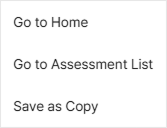
Risk Assessment Screen Layout screen

Navigate to the SafetyDesigner Home Screen (Dashboard) or the Risk Assessment List screen. Clicking the Save as Copy button creates a risk assessment identical to the one currently in progress in the application file.

③ Save/Next

Save the entered information on the current page, or auto-save and proceed to the next page.

Next →Step 1. Risk Assessment Information
Safetics Safetics

Robot safety made simple

Product

SafetyDesigner Pricing

Guides

SafetyDesigner Guide TBM Guide

Resources

Insights FAQ Glossary

Company

Safetics Home Contact Us

Safetics Inc. · CEO : Heonseop Shin · Business Reg. No. 693-87-01568 · 2F, 43, Bongeunsa-ro 30-gil, Gangnam-gu, Seoul, Republic of Korea · Tel : 82-2-568-7985 · info@safetics.io

© 2026 Safetics, Inc.

Image you just passed