

Skip to content
Help Center

Help Center

Main Start
Globe Icon
English 한국어

To start

  • What is SafetyDesigner?
  • Sign Up and Login
  • Home Screen
  • Edit Account Information
  • Create Project and Application

3D Application Design & Simulation Analysis

  • 3D Screen Elements
  • Create Robots
  • Input Analysis Information
  • Analysis Result
  • Collision Risk Analysis Report issuance
  • Application Sharing
  • Trash bin

Robot System Risk Assessment

  • Risk Assessment Screen Layout
  • Step 1. Risk Assessment Information
  • Step 2. Workspace Configuration
  • Step 3. Identify Hazardous Factors
  • Step 4. Evaluate Risks and Reduction Plans
  • Step 5. Generate Report

Advanced Tips

  • What is Safety Analysis Recommendation?
  • What is 3D Mesher?
  • What are Safety Spaces?
  • What is Motion Create?
  • What is Motion Split?
  • What is Collision Point?
  • What is Soft cover?

Motion Extractor Program Guide

  • Download and Launch
  • Select Robot
  • Network Connection Settings
  • Extracting and Verifying Motion

Group Management Guide

  • Group Management
  • Group Service Use Management
  • Contract Management
  • Help Center
  • Sign Up and Login

Sign Up and Login

List
  • 1. Sign up
  • 2. Login

1. Sign up

Create account to use SafetyDesigner.
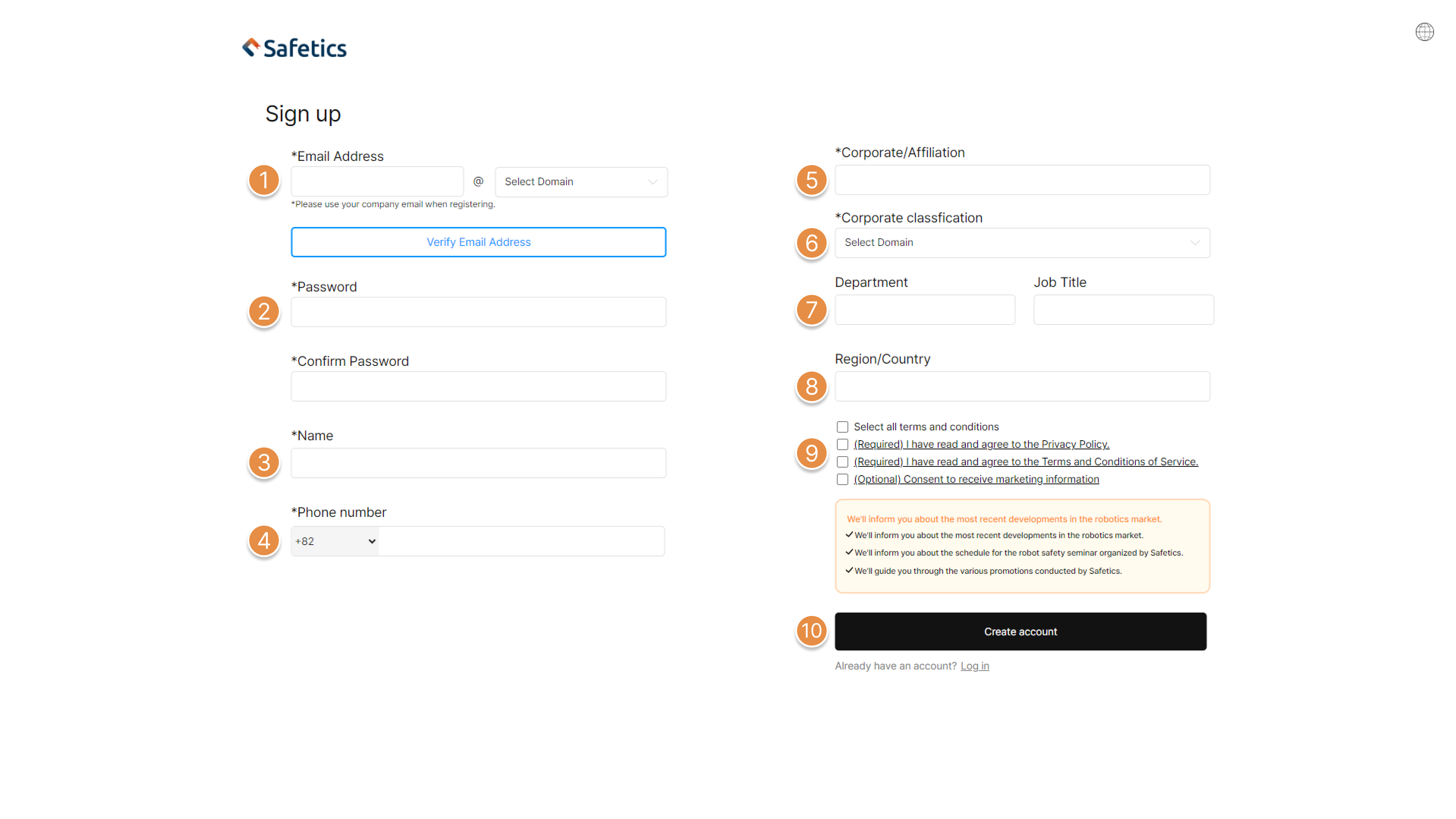
Sign up


① Type in Email address and carry out email verification with verification code sent through Email. 

② Set new password and confirm the password.

③ Type in your name.

④ Type in your phone number.

🚨 Phone number in use by another account cannot be registered in duplicate

⑤ Type in corporate/affiliation name.

⑥ Type in corporate classification.

⑦ Type in department and job title. (Optional) 

⑧ Type in region/country. (Optional)

⑨ Read the terms and conditions required to use Safetydesigner and click check box.

🚨 If you do not agree to the terms and conditions, you cannot create account.


2. Login

Login to SafetyDesigner.
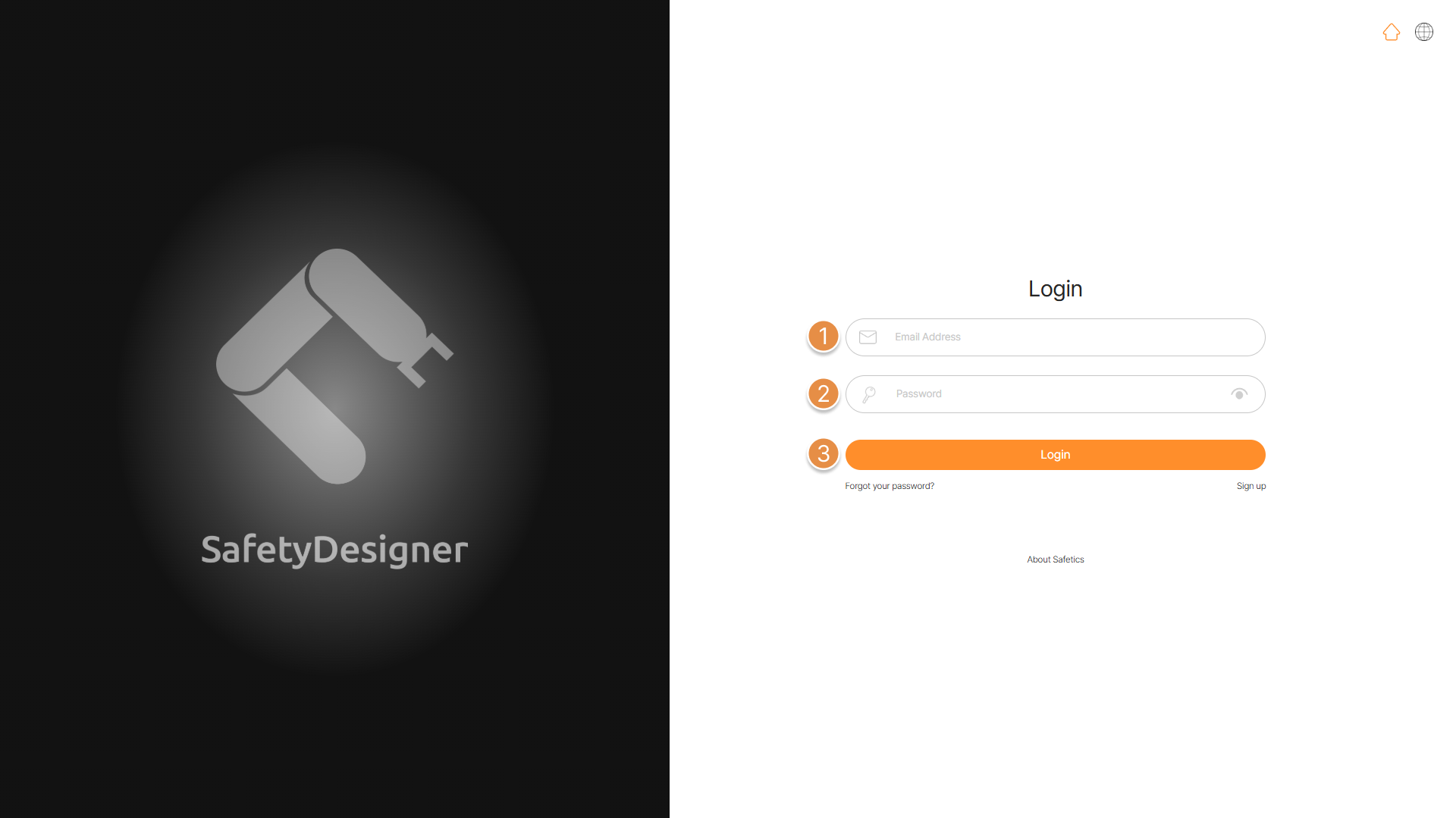
Login screen

① Type in your registered email address

② Type in your password.

③ Click login button.

Updated on January 14, 2025
What is SafetyDesigner?Home Screen
List
  • 1. Sign up
  • 2. Login
Safetics Inc.
Mail : info@safetics.io|Tel : 82-2-568-7985
Address : 2F, 43, Bongeunsa-ro 30-gil, Gangnam-gu, Seoul, Republic of Korea © 2025 Safetics, Inc. All rights reserved.