
Admin
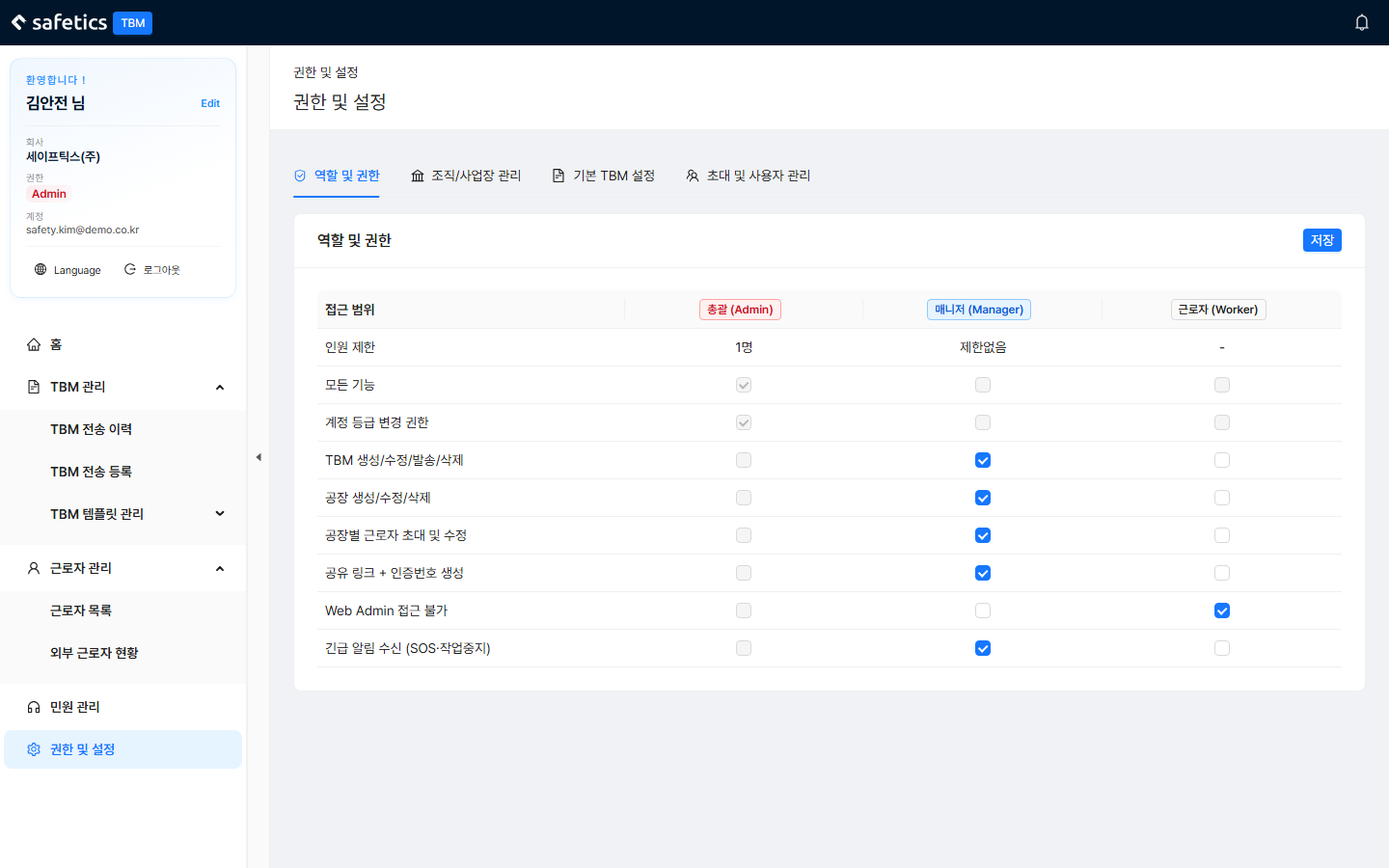
Adjust what Managers and Workers can do with the checkbox table.
 123
123
Permissions & Settings – Roles & Permissions tab
| Permission | Meaning |
|---|---|
| Create/edit/send/delete TBM | The whole TBM Management menu (send scheduling, history, forms) |
| Create/edit/delete plants | Site management |
| Invite and edit workers per plant | Worker management menu |
| Create share link + access code | Issue access codes for external workers |
| Receive emergency notifications | Receive SOS and work stop notifications |
| No Web Admin access | Worker default — blocks access to the admin web |
- Open the Permissions & Settings > Roles & Permissions tab.
- Adjust the checkboxes in the Manager/Worker columns. (The Admin row always has full control and cannot be edited. There is one Admin per organization.)
- Save. The menus and buttons those users see change immediately.