
All
Once you know the home screen and the right-side menu, you can reach every feature.
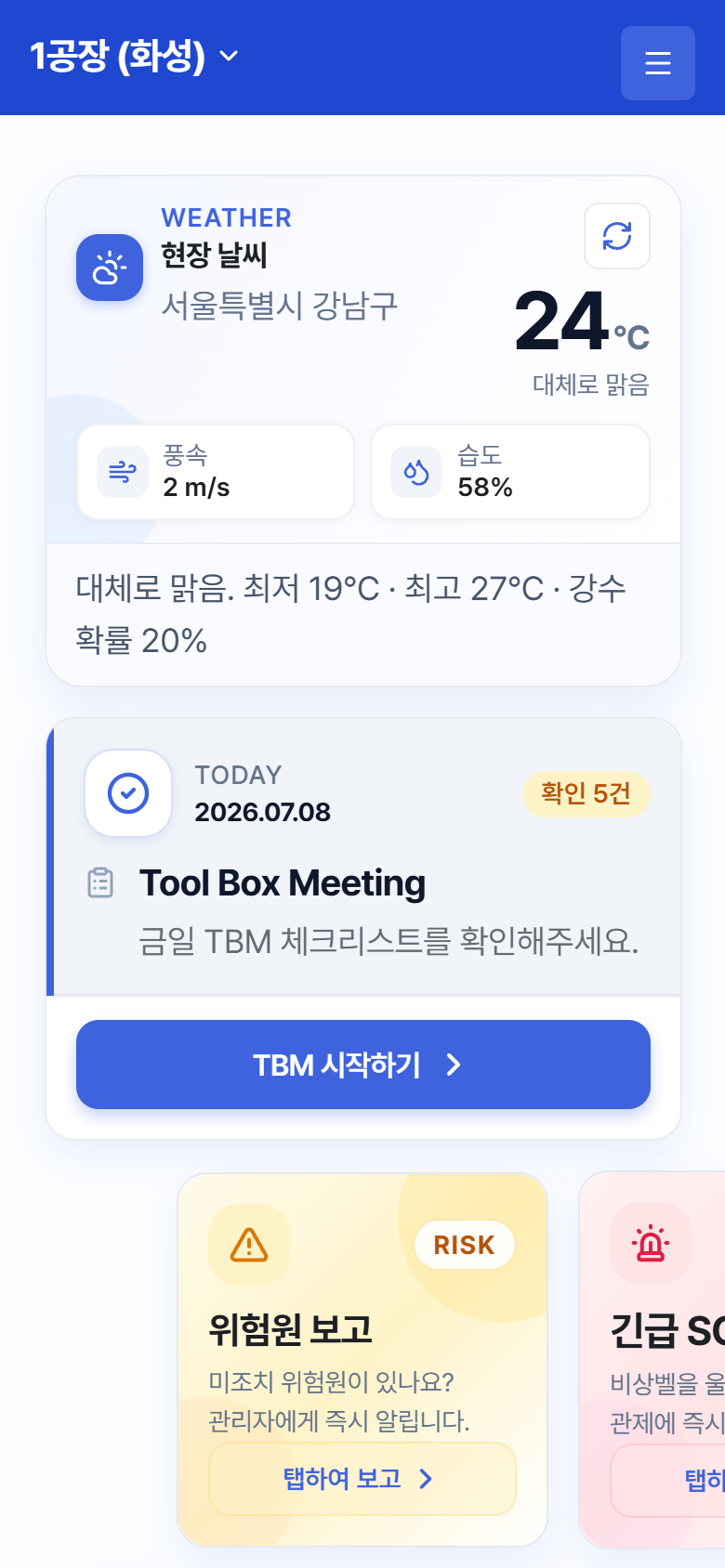
Home screen – the first screen after login
Home Screen (Top to Bottom)
- Top header: the current site name (with a ▼ mark if you belong to multiple sites — tap it to select a site) + the ☰ menu button
- Site weather card: current temperature, wind speed, and humidity, plus low/high and chance of rain. A refresh button is provided
- Today’s TBM card: the TBM to participate in today — tap it to start right away (2.1)
- Three emergency cards (swipe left/right): Hazard Report / Send Emergency SOS / Work Stop Request (Chapter 4)
- Suggestions summary card: counts of Resolved / In Progress / Unresolved plus recent suggestions. View All Suggestions takes you to the list